> For the complete documentation index, see [llms.txt](https://help.highlight.net/llms.txt). Markdown versions of documentation pages are available by appending `.md` to page URLs; this page is available as [Markdown](https://help.highlight.net/status/alerting/alert-suppression-using-site-links.md).
# Alert Suppression using Site Links
### Overview
Alert suppression effectively disables alerts for a location when the following conditions are met:
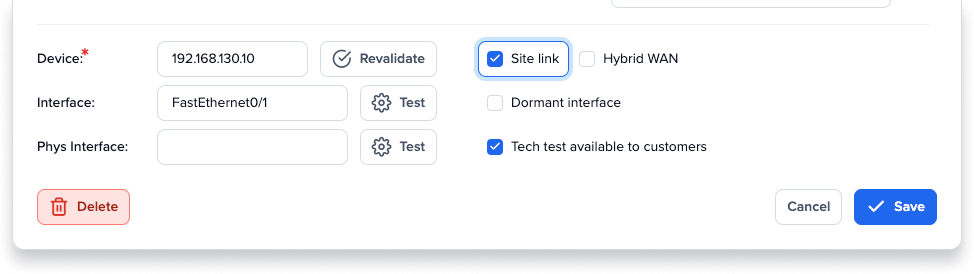
1. Main bearers are marked as a Site Link (done by an admin user)
2. All Site Link bearers at the location are alerting for stability
Alerts will be sent for the main Site Link bearers only. Alerts for other bearers, performance tests and other associated watches will be suppressed.
Note: Alert suppression is automatically applied for any location with at least two bearers marked as Site Links.
### How it works
This feature is explained with the following example.
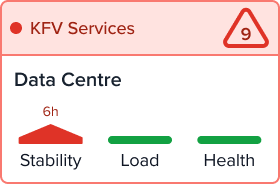
Currently, the location tile for Data Centre is showing as red for stability issues.
The location Data Centre has two main bearers (DC Primary & DC Secondary) marked with a Site Link check on the Admin, Edit watch dialog.
* DC Primary has two associated performance tests.
* DC Secondary has two associated performance tests and one VLAN.
* There is one other bearer at this location, a Wireless Controller with two associated WAPs. This controller is not marked as a Site Link.
* There are 10 watches in total at this location.
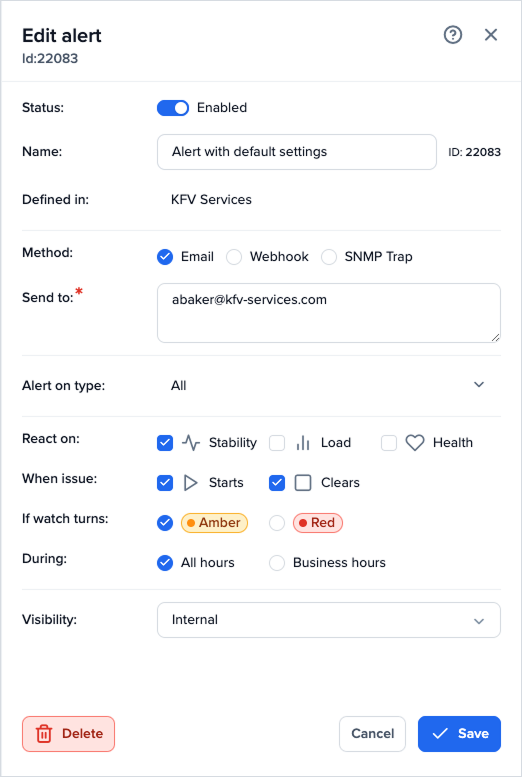
Email alerts have been set for the folder (KFV Services) which contains the location Data Centre. Find about more about [alerting.](https://support.highlight.net/help/Status/alerting)
Previously, if both main Site Link bearers were down for stability, your inbox might contain alerts for each bearer, all tests and other associated watches. In this example, nine 'Alert when issue starts' emails could have been sent. With alert suppression, only two emails are sent, one for each Site Link bearer.
Alerts will be suppressed for:
* other bearers at this location (in this example, the Wireless Controller)
* for any associated performance tests
* other associated subwatches
until either of the main bearers are once again green for stability. You may still receive 'Alert when issue clears' emails at this point. Note: If Webhook or SNMP trap alerts have been set up, these will also be suppressed.
---
# Agent Instructions
This documentation is published with GitBook. GitBook is the documentation platform designed so that both humans and AI agents can read, navigate, and reason over technical content effectively. Learn more at gitbook.com.
## Querying This Documentation
If you need additional information that is not directly available in this page, you can query the documentation dynamically by asking a question.
Perform an HTTP GET request on the current page URL with the `ask` query parameter, and the optional `goal` query parameter:
```
GET https://help.highlight.net/status/alerting/alert-suppression-using-site-links.md?ask=&goal=
```
`ask` is the immediate question: it should be specific, self-contained, and written in natural language.
`goal` is optional and describes the broader end goal you are ultimately trying to accomplish on behalf of the user. GitBook uses it to tailor the answer towards what is most useful for that goal.
The response will contain a direct answer to the question and relevant excerpts and sources from the documentation.
Use this mechanism when the answer is not explicitly present in the current page, you need clarification or additional context, or you want to retrieve related documentation sections.